Login and account access at Casina Casino

Casina Casino

Securing your Casina Casino account starts with logging in safely. Here you'll find instructions for setting a strong password, recovering lost login details and solving common access issues.

18+

Log in

What you should know about account access

Casina Casino uses Instant Play. Account access runs directly in the browser without needing to install any software. This saves storage space and allows you to log in from different devices. To log in, open the website in your browser and enter your login details there. A current browser ensures stable display.

When logging in, it's worth checking the address bar. Verify that the domain matches the site you want and the connection is encrypted before you enter passwords. Don't save login details on shared devices and use a long, unique password. Public WiFi networks are less suitable for logging in than a private connection or mobile data.

If you have problems with access, support is available around the clock, every day of the week. Contact is available via live chat and email, and support is also available in German. Live chat is suitable for quick questions, email for cases where you want to send details or screenshots.

The platform is available in 19 languages, including German. If a page appears in a different language, the website's language selection can help. This makes login screens and notices easier to understand. Also make sure to provide correct personal details when registering so that later account checks can proceed without queries.

  • Login is via Instant Play directly in the browser; no installation is required.
  • Before entering your login details, check the domain in the address bar and the encrypted connection.
  • Use a long, unique password created only for this account and don't save it on other devices.
  • Support is available 24/7 via live chat and email, also in German.
  • The website offers 19 languages, including German, via the language selection.
  • Provide correct personal details when registering so that later account checks proceed smoothly.

Forgot password at Casina Casino

If you've forgotten your password at Casina Casino, first look for a password reset option on the login page, usually as a link next to the password field. Typically, a link or code will be sent to your registered email address. Check that you still have access to that mailbox and, if the message doesn't arrive, also check your spam folder.

When creating a new password, a combination of uppercase and lowercase letters, numbers and special characters that you don't use with any other service is recommended. A password manager makes saving easier. Only open reset links from emails you've requested yourself and check the address in the browser bar before entering login details.

If the reset doesn't work, Casina Casino's support can help. It's available around the clock via live chat and email, also in German. Have your registered email address and other account details ready for identification and briefly describe the problem, for example if no reset email arrives. Never provide your password to support.

Since Casina Casino offers Instant Play, login runs in the browser and you don't need to install anything to reset your password. If login fails despite the new password, clear your cache and cookies, check uppercase and lowercase and try a different browser. Many providers temporarily lock accounts after several failed attempts, so don't keep guessing.

Two-factor authentication and account security

Two-factor authentication (2FA) adds a second layer to your password, usually a code from an authenticator app or SMS. Even if someone knows your password, they can't access your account without this second factor. After you log in, check your account settings to see if Casina Casino offers this option and enable it as soon as it's available.

Regardless of 2FA, a strong password matters. Use at least twelve characters, mix letters, numbers and special characters, and use the password only for this account. A password manager makes this easier. Since Casina Casino offers instant play—playing without installation—never choose «stay logged in» on shared devices and always log out after each session.

Phishing is a common threat to player accounts. Always reach the login page through your own bookmark, check the address bar for the lock symbol and correct spelling, and never share login details or codes after an email or chat request. Genuine support staff never ask for your password or a 2FA code.

If you suspect unauthorised access, act immediately: change your password, log out everywhere and contact support. Support is available 24/7 via live chat and email, also in German. Explain the problem briefly, mention when it happened and any unusual activity, and use only the contact methods you find in your logged-in area.
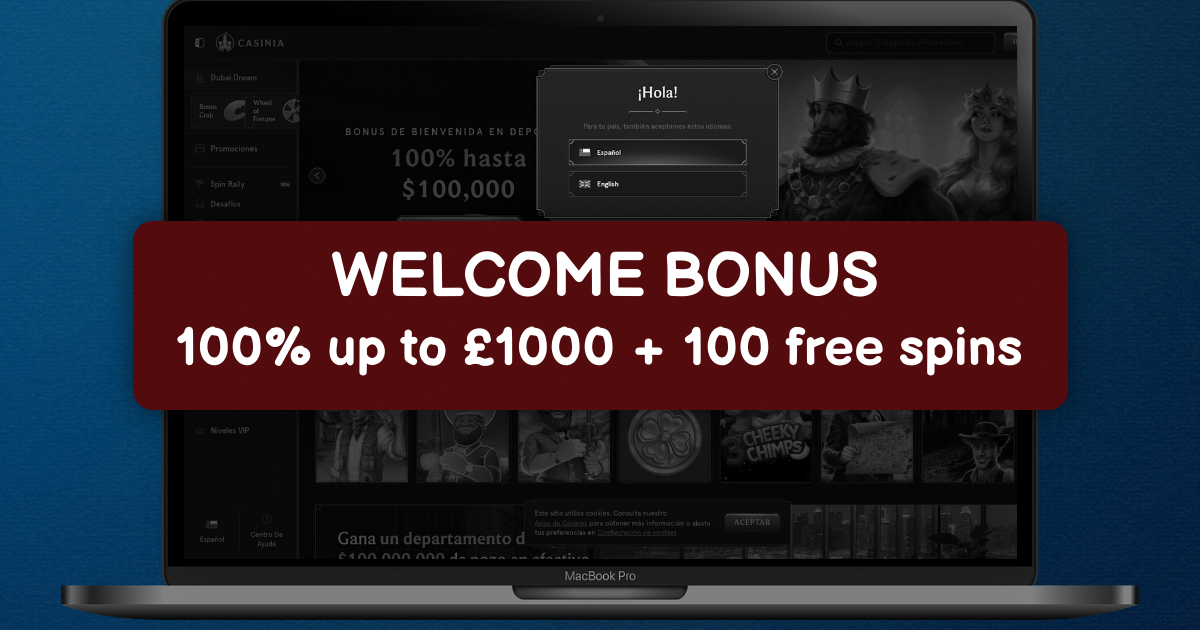
Log in securely to Casina Casino

Casina Casino runs as an instant-play offering, so you log in directly in your browser and no installation is needed. Best reach the site through a bookmark you've created yourself rather than following links from emails or messengers. Before you enter your details, check that the address bar looks correct and the connection is encrypted.

A secure password is your most important protection. Use a unique, long password just for the casino that you don't use anywhere else, and store it in a password manager. Enable two-factor authentication if your account offers it. Always log out on shared devices and avoid logging in over public Wi-Fi without extra protection.

If login doesn't work, first check for typos, caps lock and the browser's auto-fill function. Reset your password only through the casino's own site, never through links in messages. Support at Casina Casino is available 24/7 via live chat and email, also in German. Never give your password there; genuine staff don't ask for it.

The platform supports German among other languages, which makes tips about login and account security easier to understand. Check your language setting before your first login so you read security messages correctly. Pay attention to your device too: an up-to-date operating system, up-to-date browser and antivirus software reduce the risk. Whether you're allowed to play in Germany depends on the provider's licence and the legal situation; find out beforehand.

Account lock and recovery at Casina Casino

A locked account at online casinos usually comes down to a few reasons: entering your password wrong multiple times, a security check for unusual logins, identity verification pending or a self-imposed lock. Which rule applies to Casina Casino in your case, you should read in your account terms. It helps to read the error message carefully, because it often tells you the difference between wrong details and an account lock.

When you've forgotten your password, a reset via email is usually the first step most providers offer. The link normally comes by email, so it's worth checking your spam folder and making sure the address you've listed is still reachable. Choose a new password you don't use anywhere else and store it in a password manager.

If the reset doesn't help or your account stays locked, support is available 24/7 via live chat and email, also in German. Live chat works well for quick questions, email for longer explanations. Give your account details, when the problem happened and the exact error message so sorting it out takes less time.

You can use the platform via instant play straight in your browser, and the interface is also available in German. Log in only on trusted devices and always log out on shared devices. If you want to limit access on purpose, ask support about options for breaks or self-imposed locks.

Mobile access: instant play and app use

Casina Casino relies on Instant Play for mobile access. This means: the platform opens directly in your smartphone or tablet's browser without needing installation. Login works the same as on desktop: open the page, enter your credentials and use the gaming offer. This saves storage space on your device, and new versions don't need to be updated separately.

For smooth operation, a current browser like Safari or Chrome and a stable connection are recommended. Public WiFi networks should be avoided for logins. If you play frequently on mobile, you can bookmark the login page or create a shortcut on your home screen via the browser menu. This makes access just a tap away, without typing the address each time.

If you're looking for a dedicated app, only use links from the operator's site or from support. Installation files (APK) from third-party sources or advertisements can contain malware. A similar name in the app store is no proof of an official version. Never enter your credentials in apps whose origin you cannot verify.

If you experience problems with mobile login, support is available 24/7 via live chat and email, also in German. Live chat is suitable for quick questions about passwords or display errors; email for requests with screenshots. The platform itself is also available in German. It helps to provide details about your device, operating system and browser as well as a brief description of the error message.

FAQ

Can I change my email address after I've created my account?

This depends on Casina Casino's settings. Contact support for help changing your email address.

How long is my password recovery link valid for?

Recovery links typically have a limited validity period for security reasons. If your link has expired, request a new email message.

What should I do if I don't receive a password reset email?

Check your spam folder and verify you've entered the correct email address. If you still don't receive the recovery message, use a verified support channel.

Can I take over someone else's account?

Only manage your own account. Don't share your login details and don't use someone else's account.

Is Casina Casino safe to log in on public wifi?

Public wifi networks are less secure. Use a trusted private network where possible and avoid managing money on public wifi.

Responsible Gambling